For a crypto wallet used at casinos or sportsbooks, the first requirement is compatibility between your wallet, coin, and the network the operator supports. If you want to send €50 worth of crypto, selecting the same coin on both sides is not enough: the transfer network must match too. Otherwise, your payment could be lost.
Your wallet manages the keys that give you control over your cryptocurrency; your gambling account with the operator is separate. We explain which wallet types suit occasional payments and regular use, focusing on key control, fees, and safe deposit and withdrawal procedures.
In brief: Your wallet manages your keys; your gambling account holds your balance with the operator. Once you deposit, the operator controls the coins - you can only get them back through a withdrawal.
Choose a wallet that fits your payments
You do not need a special wallet for crypto casinos or sports betting. What matters is that it supports your chosen coin on the correct network, that you understand how to use it, and that you know who controls the private keys.
Wallets and gambling accounts serve different purposes
The payment path is: your wallet → the operator’s deposit address → your gambling account balance. You use your wallet to manage access to your coins and send them to the specified address. The operator then matches the payment to your account and credits it under its terms.
A deposit is therefore not simply a transfer between two wallets you own. Once you transfer, for example, €50 worth of coins, you no longer control them with your own key. You depend on the operator for a later withdrawal. Our guide to understanding crypto payments explains how transfers, confirmations, and account credits connect.
Four criteria for choosing a wallet
The required network is the first criterion: if your wallet supports a token only on a different network from the operator, it will not work for that payment. Second, consider transfer frequency. If you regularly send smaller amounts, you need a process that clearly displays the network, destination address, and fees before every approval.
Third, match your storage setup to the amount you plan to use. You can separate a small payment budget from longer-term holdings so your entire crypto balance is not immediately available. Fourth, consider how you handle recovery details. With a self-custody wallet, you must protect them against loss and unauthorized access. With a custodial service, a provider controls the keys, leaving you dependent on its access procedures and rules.
Wallet types differ in control and effort
The key distinction is who controls the private keys: you or a service. “Mobile” and “browser” describe the interface - not every wallet app is self-custodial. With self-custody, you are responsible for the keys and recovery details. With a custodial account, the service decides whether to release your transfers.
| Option | Who controls the keys? | Transfer process | Key limitation |
|---|---|---|---|
| Self-custody mobile wallet | You | Import an address using a QR code, for example, check the details, and confirm | Your smartphone and recovery details must be protected |
| Self-custody browser wallet | You | Prepare and confirm the transfer in your browser | Fake extensions and websites can steal keys or obtain approvals |
| Hardware wallet | You; keys remain on the device | Prepare with compatible software and confirm on the device | Does not prevent every mistaken transfer |
| Custodial account | The service | Request a withdrawal and complete checks if required | Terms, minimum amounts, and withdrawal reviews can restrict transfers |
Mobile and browser wallets for regular transfers
A self-custody mobile wallet is practical when a deposit address appears on your computer and you scan it with your smartphone. A browser wallet works directly on your computer. In both cases, you must check the coin, network, and destination address; the interface does not do that checking for you.
A separate payment wallet holding, for example, €50 worth of crypto can help separate your gambling budget from your other holdings. However, it does not automatically limit spending if you keep topping it up. Nor does it create anonymity: transfers between your wallets may remain traceable on public blockchains.
Hardware wallets for separate storage
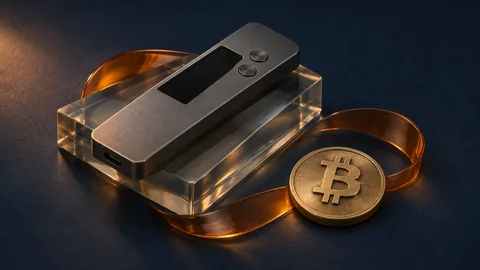
A hardware wallet keeps private keys separate from your internet-connected computer and signs transactions on the device. You prepare the transfer with compatible software, then confirm it on the device. Check the transaction details shown there, particularly the receiving address and amount, rather than relying only on your computer screen.
For frequent small deposits, this extra confirmation step adds effort. It can make sense for storing separate holdings, but it does not prevent a transfer to the wrong address if you approve it.
Custodial wallets come with additional conditions
With a custodial account, you request a withdrawal from the service rather than signing it yourself with private keys. Withdrawal reviews, minimum amounts, and terms of use can affect the process. Before planning to use the account for gambling payments, explicitly check whether the service permits transfers to gambling operators.
The coin and network must match on both sides
Support for a cryptocurrency alone is not enough for a deposit: your wallet’s sending network must also match the deposit network specified by the casino or sportsbook. Before every payment, check the coin, network, and receiving details directly in the deposit section. A technically valid address alone does not confirm that your payment will be credited correctly.
Check more than the coin ticker
 Check the coinCheck the supported cryptocurrency directly in the deposit section.
 Match the networkIn your wallet, select the exact network specified by the operator.
 Check your fee balanceFor token transfers, check whether you need the native coin to pay fees.
 Include the memo or tagCopy all required additional details so your payment can be matched to your account.
The same ticker does not mean the same network
A token such as USDT can exist on several networks, including Ethereum and Tron. Our USDT casinos comparison shows which networks the casinos we reviewed accept. If the recipient accepts USDT only over Ethereum, you must not send it over Tron - even if your wallet offers that option. A network being available in your wallet never replaces explicit support from the recipient.
Similar-looking addresses are not proof of compatibility either. Different networks can use the same address format without the operator processing deposits across all of them. Match the exact network name rather than relying only on the token ticker or the start of the address.
Bitcoin on-chain and Lightning are also different payment methods. An on-chain payment requires a Bitcoin address; Lightning requires suitable payment details, such as a Lightning invoice, and support on both sides. A Bitcoin deposit option does not automatically mean Lightning is accepted.
Native coins, tokens, and additional address details
Token transfers may also require the network’s native coin to pay the transaction fee. For example, if you hold 50 USDT on Ethereum in self-custody, you usually also need ETH to send it. Your USDT balance alone is then not enough; check your wallet’s fee display beforehand.
If the recipient requires a memo or tag, you must include it along with the address. It may be needed to match your payment to your gambling account. Copy both details in full and check them before confirming.
Warning: The wrong network or a missing memo can cost you your deposit. Recovery is difficult and not guaranteed. If anything is unclear, stop the payment and confirm the receiving details with support.
How to deposit with your wallet step by step
Before every deposit, check the coin, network, receiving address, and minimum amount - even if you have used the same wallet many times. The wrong network or an incorrect address can prevent your funds from arriving and make recovery impossible.
Check payment details in your gambling account
-
Check availability and account terms. First, confirm that you are allowed to use the service where you live and that the operator accepts your country of residence. Also read the verification requirements for deposits and withdrawals; a crypto wallet does not replace a possible KYC check. Do not deposit if your country is excluded or your account is blocked.
-
Select the coin and network. In your gambling account, select your preferred cryptocurrency and its network. Both must match your wallet selection: the same coin can be available on several networks. Similar-looking addresses do not confirm compatibility.
-
Get the current deposit details. Open the deposit page directly in your gambling account and use the address currently displayed, not an old screenshot or saved contact. Check whether a memo or tag is also required; this additional detail may be used to match the payment to your account. A QR code makes copying the details easier but does not automatically verify authenticity.
-
Read the minimum amount and possible fees. If you want to deposit €50 worth of crypto, use the crypto amount shown for that payment rather than assuming a fixed exchange rate. Check whether your wallet adds fees or deducts them from the amount sent, and whether the expected receipt meets the minimum. You need enough available funds for additional network fees, potentially in the network’s native currency.
Review the transfer and track its status
-
Check the receiving details in your wallet. After copying the address, and again immediately before approval, compare it with the details in your gambling account - as fully as possible. Also check the coin, network, amount, and any memo or tag; malware can replace copied addresses. If your hardware wallet displays payment details on its own screen, check them there too.
-
Send a test amount to new addresses. A test transfer only makes sense if it meets the minimum amount and the additional fees are reasonable. Wait for it to be credited before sending the rest of your planned amount. Even after a successful test, you must check any deposit address displayed later.
-
Track the transaction and account credit. The transaction ID, often called a “TXID,” identifies the payment and lets you track it in a suitable blockchain explorer. A blockchain confirmation is not the same as a credit to your gambling account: network conditions, required confirmations, and internal processing affect timing. If there is a delay, first check the network, receiving address, and status rather than sending the same payment again without checking. Have the transaction ID ready for support, but never share your seed phrase or private keys.
Fees and exchange rate changes determine the actual cost
Your costs include more than the crypto amount sent: network fees, possible operator fees, and conversion costs may also apply. Before each confirmation, check the total amount deducted from your wallet and how much is expected to reach your gambling account.
Separate network fees from provider fees
The network fee pays for processing on the blockchain; a possible withdrawal fee is charged by the platform you send from. Both may apply separately or be combined into a displayed fee - the cost breakdown is what matters.
| Cost type | What it covers | Where to check before transferring |
|---|---|---|
| Network fee | Transaction processing; depends on the network and congestion | Your wallet’s transaction preview |
| Possible withdrawal fee | Withdrawal from an exchange or gambling account | The sending platform’s withdrawal form and fee terms |
| Conversion costs or spread | Currency exchange; the spread is built into the offered exchange rate | The purchase or exchange preview, using the rate, fees, and receiving amount |
The crypto amount sent and its euro equivalent are different measures: 0.001 BTC remains a transfer amount of 0.001 BTC, while its euro value fluctuates. If your gambling account converts the deposit, check the displayed terms. Stablecoins are not risk-free cash either: they can deviate from their reference value and carry issuer and network risks.
Fixed fees have a bigger impact on a small budget
Example calculation: With a total budget equivalent to €50 and a €1 network fee that must be funded separately, €49 worth remains to send. The fee is €1 ÷ €50 × 100 = 2% of the budget. With a €200 total budget, the same €1 fee equals 0.5%; that is not a reason to deposit more.
Repeated transfers multiply costs: five transfers with a €1 fee each cost €5 in total. Set a fixed deposit limit that includes fees rather than adding gambling funds because of the fees.
Tip: Low-fee networks, such as USDT on Tron, Litecoin, or Solana, can suit small amounts. First compare whether the casino offers that exact network for deposits and withdrawals.
Withdrawals require the correct receiving details
For a withdrawal, you need your wallet’s receiving details for the chosen coin and matching network. A previous sending address is not automatically a suitable receiving address: use the current details from your wallet’s receive function.
How to prepare your withdrawal
 1Check the terms
- 2Get receiving details
 3Review the withdrawal
 4Confirm the withdrawal
- 5Check transaction status
 6Record the transfer
Read withdrawal terms before depositing
Before your first deposit, check which coins and networks are supported for withdrawals. Do not assume every deposit method is also available for withdrawals. Compare minimum amounts, withdrawal fees, and KYC requirements so you know about potential obstacles before funds are in your gambling account.
If you activate a bonus, also read its withdrawal terms. Wagering requirements or other restrictions can affect when and how much you can withdraw. The specific terms matter, not just the displayed account balance.
Check and document your withdrawal
Open your wallet’s receive function for the chosen coin and select a network that is also available in the withdrawal form. Copy the receiving address and any additional detail, such as a memo or tag. In your gambling account, check the coin, network, full address, additional detail, and amount before confirming the withdrawal.
Example calculation: If a total fee of 2 USDT is deducted from a 100 USDT withdrawal, 98 USDT reaches your wallet. The fee therefore equals 2% of the withdrawal amount. The withdrawal summary shows whether costs are deducted from the amount or charged separately; check the receiving amount listed there too.
Processing by the operator and the subsequent blockchain transfer are separate steps. Without a transaction ID, the withdrawal may not yet be visible on the network. Once an ID is available, you can track the transfer status in a suitable blockchain explorer; you cannot use it to check an approval still pending with the operator.
Record the amount, date, network, fees, and transaction ID for each withdrawal, for example in a spreadsheet. These details help you reconcile transactions with your wallet and contact support. Never share your seed phrase or private keys: they are not needed to check a transaction.
Protect your keys, privacy, and gambling budget separately
Separate key security from budget control
 Protect your seed phraseStore it offline and never enter it on payment pages or in chats.
 Enable account protectionEnable two-factor authentication if your account supports it.
 Consider your privacyDo not rely on anonymity: public transfers can be analyzed.
 Limit your gambling budgetKeep savings separate from gambling funds and do not make transfers to chase losses.
Keep recovery details to yourself
A seed phrase can restore a self-custody wallet; private keys allow control over the associated holdings. Anyone who knows these details can transfer your coins without your permission. Store recovery details offline and protected from unauthorized access, such as on paper or metal in a locked location.
Warning: Never enter your seed phrase on payment pages, in support chats, or through links sent to you - it is never needed for a casino deposit. Avoid screenshots and unencrypted cloud copies too.
Protect your device with a screen lock, keep your operating system and wallet software updated, and enable two-factor authentication on accounts that support it. These measures do not replace key protection: a new password or second factor does not make an exposed seed phrase safe again.
A wallet does not make gambling anonymous or legal
Your own wallet does not guarantee anonymity: many public blockchains are pseudonymous, not anonymous. Transactions can be analyzed and linked to a person through exchange or casino account records, for example. The operator may require KYC identity verification even when you pay from your own wallet.
Paying with a wallet does not change the legal status of a gambling service. Check the rules where you live; our guide Are crypto casinos legal? covers the legal status of crypto casinos.
Keep your gambling budget separate from savings and everyday expenses. If, for example, you set a monthly entertainment budget of €50, that limit still applies after losses. Set fixed deposit limits and breaks; find practical guidance under Limits and gambling breaks. Gambling is not income - do not chase losses with additional transfers from your wallet.
Frequently asked questions
Which crypto wallet works for casinos and sports betting?
Choose a wallet that supports your chosen coin on the exact network the casino accepts. A mobile wallet can be practical for occasional payments; larger holdings you do not need can be stored separately in a hardware wallet. Check whether you control the private keys and how recovery works. Keep your gambling budget separate from long-term savings.
Which network should I choose for a deposit?
Choose the exact network listed on the casino’s deposit page for your selected coin. The same token can exist on several blockchains, so matching the currency alone is not enough. Before sending, compare the coin, network, receiving address, and any required memo or tag. Using the wrong network can result in a loss. A small test payment must also meet the minimum deposit.
Why does a casino require verification if I use my own wallet?
Your own wallet does not replace identity verification because a blockchain address proves neither your age nor your identity. Under its terms, a casino may request additional details or documents, such as proof of identity or source of funds. Check the KYC terms before depositing, particularly withdrawal requirements. Controlling your private keys does not automatically make your gambling account anonymous.
What can I do if my deposit does not arrive?
First, use the transaction ID in a suitable blockchain explorer to check whether your payment was sent and confirmed. Then compare the network, receiving address, amount, and any required memo or tag with the deposit details. If the transaction is confirmed but has not been credited, contact casino support with those details. Do not rush to send it again, and never share your seed phrase or private keys.
What fees apply to deposits and withdrawals?
Deposits and withdrawals may involve network fees and additional charges from the casino or payment service you use. When sending from your own wallet, you usually pay the network fee; for withdrawals, check the displayed deduction. Exchanging coins can also incur costs. For example, if 2 USDT is deducted from a 50 USDT withdrawal, you receive 48 USDT - a 4% fee.